Use Savio as a data source for Chartcastr. Savio centralises customer feedback and feature requests from Slack, HubSpot, Intercom, Zendesk, Salesforce, Help Scout, and other tools. Chartcastr pulls feedback, feature-request, contact, and company data from the Savio API and renders scheduled charts to Slack or email.Chartcastr connects with read-only access using a per-account API token.
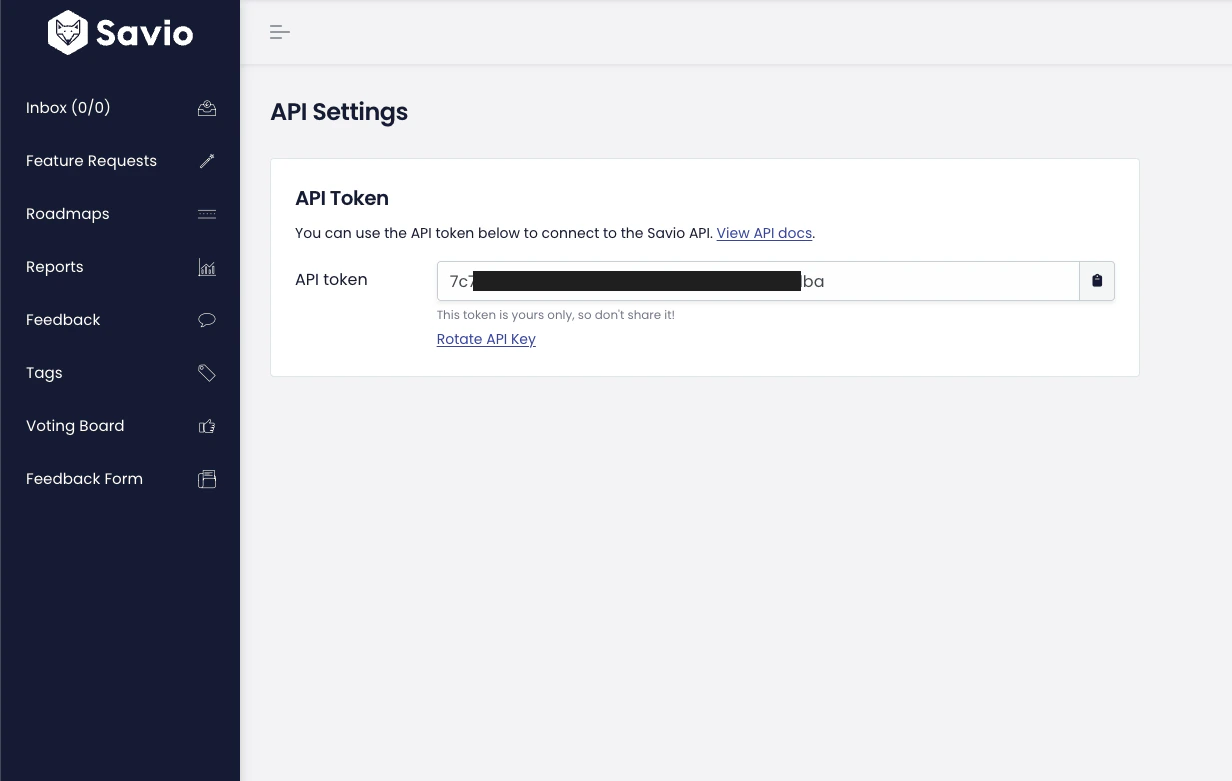
In Savio, go to API Settings (direct link) and copy your API token.
Savio API Settings — copy the API token to paste into Chartcastr
2
Connect in Chartcastr
In Chartcastr, open New Source and select Savio. Paste your API token and click Test & Connect. Chartcastr validates the token against the Savio API before saving.
3
Select a metric
Pick from feedback / feature-request / contact / company volume charts, an activity overlay (multi-series), breakdowns by customer type or source tool, status distribution for feature requests, or top feature requests by linked-feedback count.
4
Create a connection
Pick or add a destination (Slack channel or email), set the delivery frequency, and optionally enable AI summaries.
The Activity Overlay chart renders feedback, feature requests, contacts, and companies as separate lines on the same chart. At setup, pick any combination of those four series — Chartcastr fetches each from the matching Savio endpoint and overlays them with consistent date buckets.This is the right choice when you want a single weekly “Savio pulse” rather than four separate charts. The series you pick at setup are frozen for that source; create additional sources to compare different combinations.